Aprire group policies
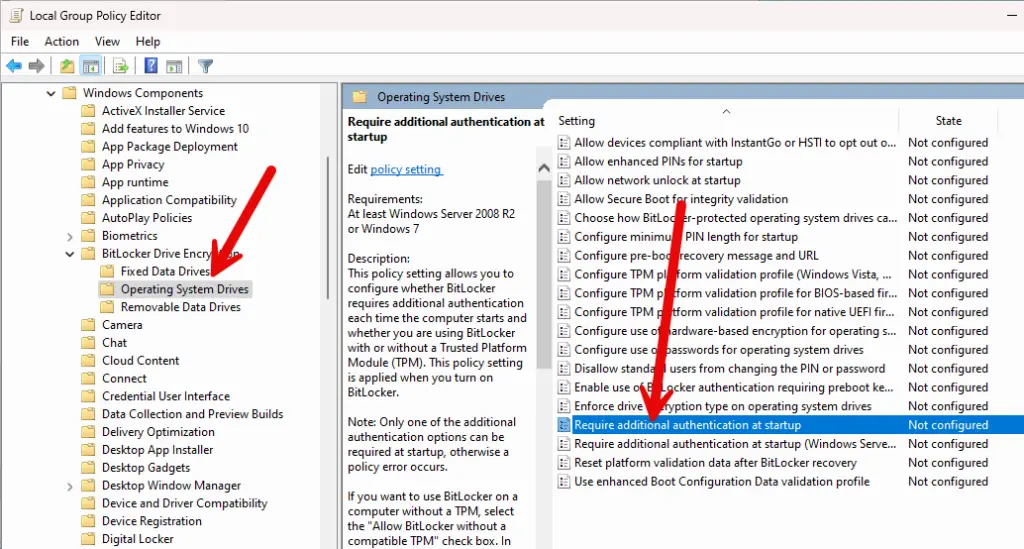
gpedit.mscNavigare dentro
Computer Configuration –> Administrative Templates –> Windows Components –> BitLocker Drive Encryption –> Operating System Drivese aprire
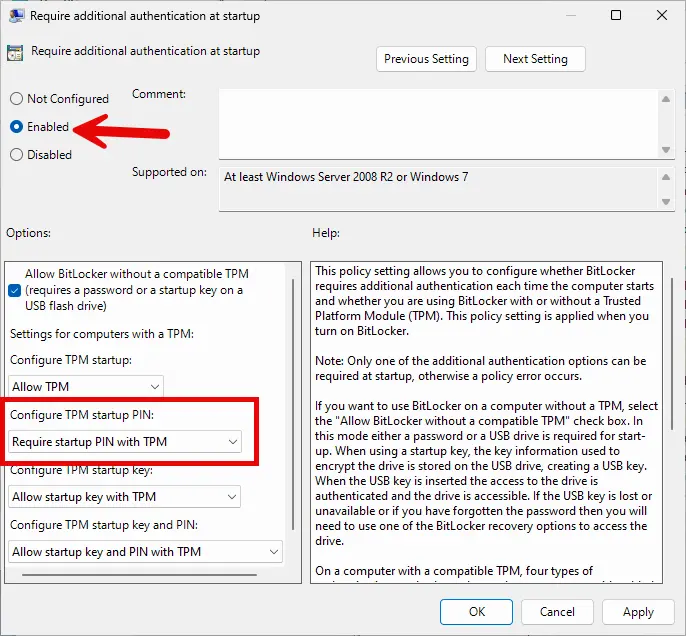
Require additional authentication at startupsettare le seguenti opzioni come da immagini
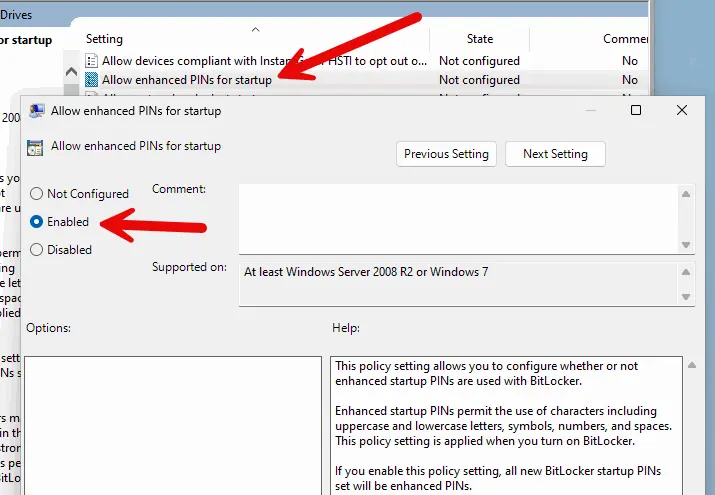
By default, only numbers can be used as a PIN. If you want to use a real password with letters and other characters, you must activate the option “Allow enhanced PINs for startup”.
Aprire un terminale con diritti di admin e lanciare il seguente comando per settare la password
manage-bde -protectors -add c: -TPMAndPINper controllare lo status lanciare il seguente comando
manage-bde -status